
Equipment rentals
Offer equipment alongside court bookings and manage availability and rental pricing from the club tools.
Loading...
Club operations
Fill your courts, take payment as the slot is reserved, and run the booking rules your facility already works by.
Phone calls and WhatsApp threads deciding who gets Saturday evening
A public page where players see live availability and take the slot without calling the desk
Cash tallies, missing transfers, and debts settled after the match
Card, bank transfer, local wallet, or cash taken at booking time, each payment tracked against its reservation
One rigid rule where the court goes to whoever calls first, and buckles at peak hours
Instant booking, manager approval, or lottery windows, set per club and enforced automatically
Modes that match your policies, payment that clears at reservation, and one calendar your staff can trust.
Modes
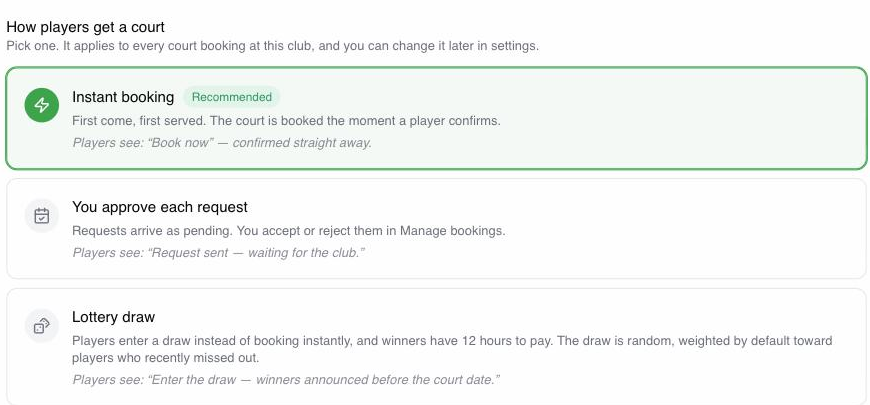
Open a slot for instant confirmation, hold it until a manager accepts, or run a draw on scarce peak windows. The draw is weighted by default, leaning toward players who lost the last few. Same calendar, your rules.
Payments
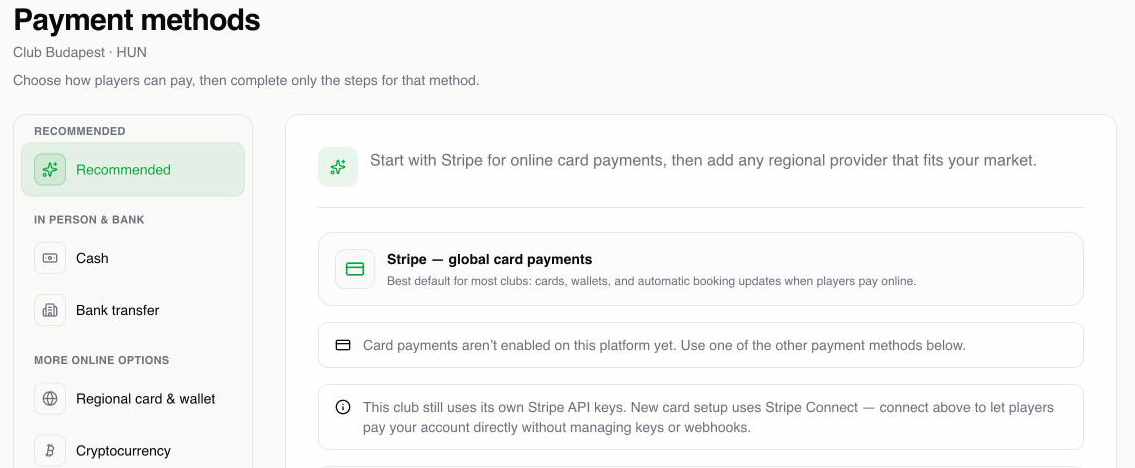
Offer the methods your members already use: cards, your country's bank and wallet providers, or cash at the club. Cards run through Stripe Connect wherever it is supported, charged straight to your own account with no platform cut on the court fee. The money lands with the booking instead of turning into a chase after play.
Staff calendar
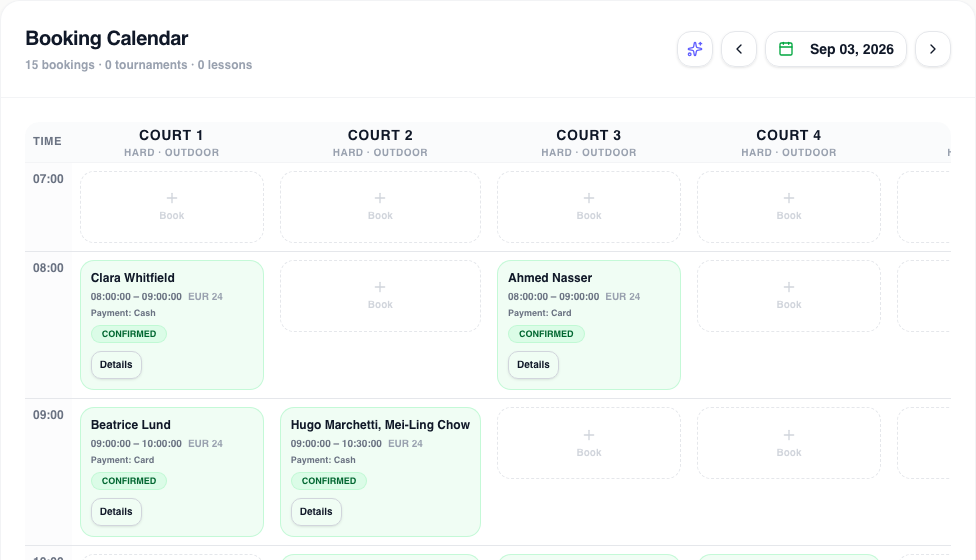
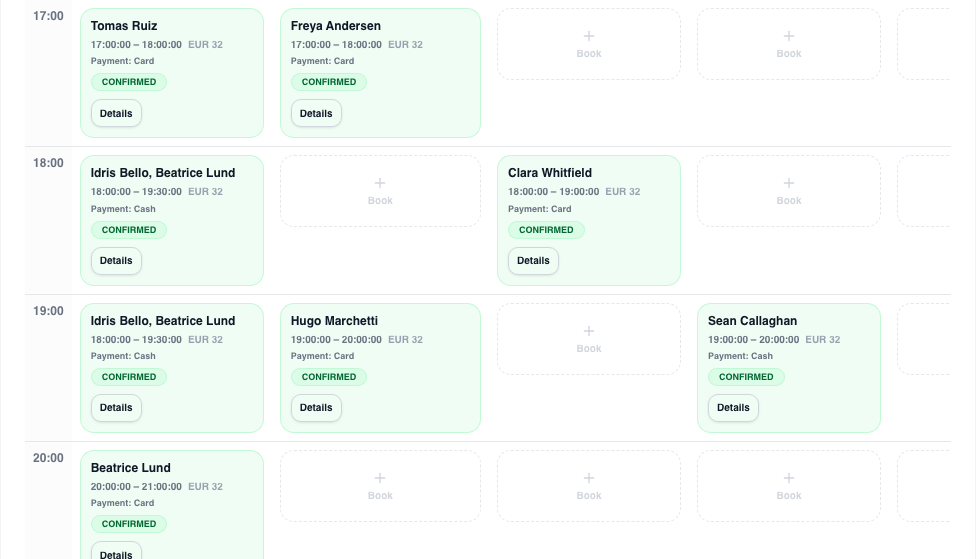
Staff holds, member requests, lottery windows, and lessons share one view, so nobody double books the gate and nobody switches tabs to guess what is free.
Add your courts, surfaces, and opening hours so the live grid matches how the facility runs.
Set instant booking, approval queues, membership gates, and peak lottery windows from settings. No custom code.
Turn on the payment methods you accept and route the money to your own club account.
Share your public page. Members reserve online while staff handle the exceptions from one calendar.
The booking layer that retires WhatsApp, the spreadsheet, and end-of-month cash counting.
Players find your club, see the open courts, and book on a page that carries your name and your branding.
Instant confirmation, manager approval, or lottery windows for peak demand, enforced automatically.
Cards through Stripe Connect where it is supported, plus the local providers your members use, bank transfer, and cash. Each payment stays tied to its reservation.
Restrict courts by membership tier, time window, or visibility. Members book online, walk-ins stay at the desk.
One schedule for staff holds, member bookings, lottery windows, and lessons. Fewer surprises at the gate.
Outside the EU, once you record a no-show, that player's next cash bookings carry a refundable USD 2.00 reservation fee, for two months, then six, then permanently. At EU clubs the no-show is recorded, but no fee is asked yet.
If your courts still run on phone calls and a spreadsheet, TEKKA gives you a live public booking page, the modes your policies need, and payment that clears when the slot is taken.
Offer equipment alongside court bookings and manage availability and rental pricing from the club tools.
Publish news and photos on your club page. Authorized staff can review private feedback separately from public reviews.
Booking and event updates can arrive in-app, by push or email. Members manage notification preferences and privacy controls in their account.
Yes. Approval mode lets players request a slot while staff accept or decline before it locks, which covers guest policies, peak caps, and membership checks.
Instant open booking, manager approval before confirmation, and lottery windows for scarce peak times. You set them per club and TEKKA enforces them. Peak draws are weighted by default rather than equal chance.
Cards run through Stripe Connect in the countries it supports, charged directly to your club account with no platform cut on the court fee. TEKKA also connects the local providers your market uses, alongside bank transfer and cash at the club. Each payment stays tied to its booking.
A first-time booker pays nothing up front. Once you record a no-show, that player's next self-service cash bookings hold a refundable USD 2.00 reservation fee on their card, released when they show up. If they cancel late or miss again, TEKKA captures the fee and credits it against your subscription invoice, and the requirement stretches to six months, then becomes permanent. For now this applies at clubs outside the EU; at EU clubs the no-show is still recorded, but no fee is taken.
Staff and members share one calendar covering holds, member bookings, lottery windows, and lessons, so the desk stops juggling a spreadsheet next to the phone.
Create a business account, add your courts and hours, set your modes and payment methods, then open your public booking page to players.
Yes. A seasonal member pass reserves an approved weekly slot after payment. One-off court bookings and membership access rules remain separate.
Sell weekly court time
List a seasonal pass. Players choose a court and weekly time; you approve the request and collect payment. The standing bookings appear automatically.
Lottery booking for clubs
Your most-fought-over windows run as an automatic draw, so nobody has to sit up at midnight and nobody argues favoritism at the desk.
Smart Features
Fill quiet courts, send offers to the players most likely to book, and win back people who stopped coming. Your caps and approvals decide what goes out.
Launch public booking with the modes and payment methods your club runs on, and give the desk its evenings back.