
Run your own events
Student tournaments
Set up a student event, open registration, and score the matches live from your phone while you are standing on the court.
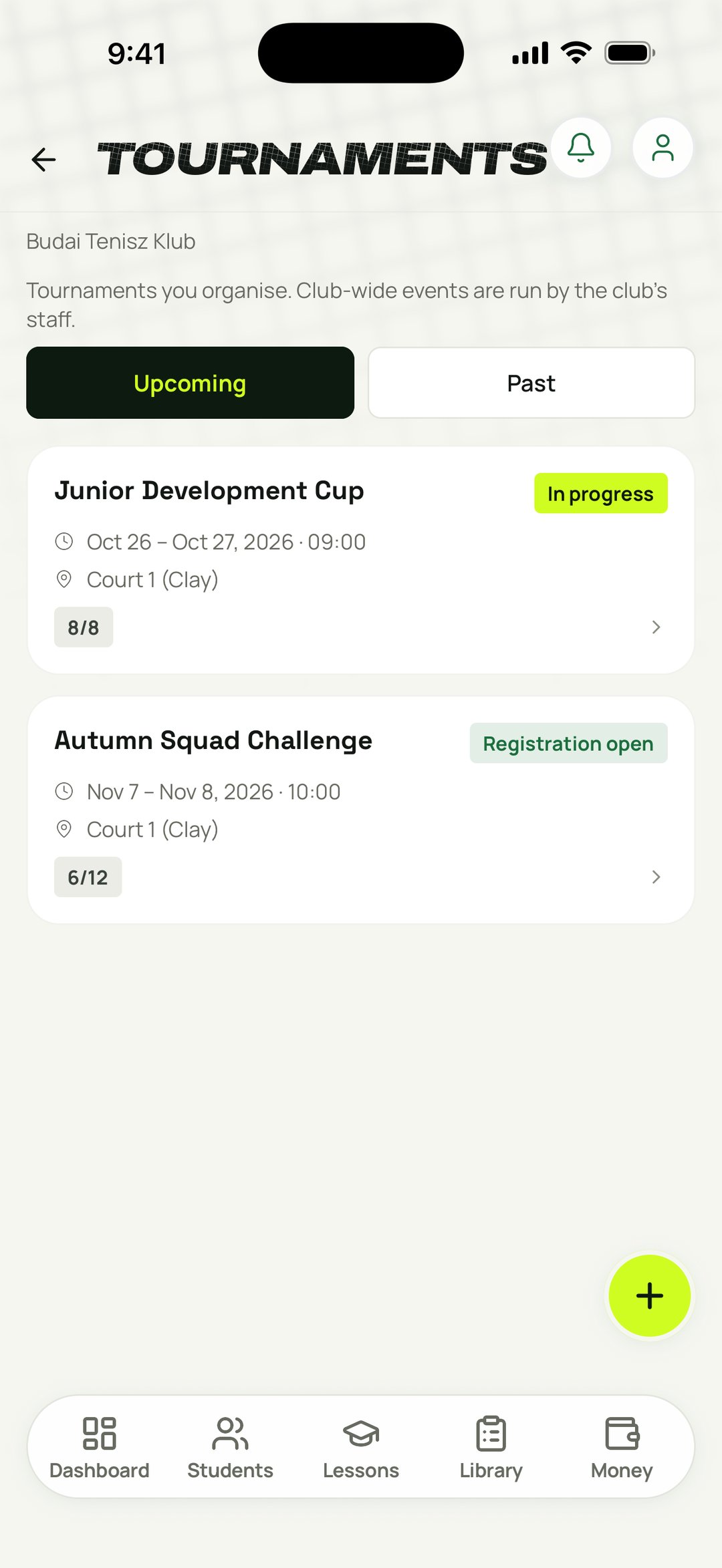
ExampleSet up a student event and run its bracket from your coach account
Run competitive events without a club ops team
Excel brackets and WhatsApp entry lists
A student event with registration open in minutes
Borrowing the club's system, or having none
Your own events, set up and run from your coach account
Scoring on paper, redrawing brackets by hand
Score live and the bracket advances itself
Your event, from entry list to final
Give your students something to compete for. You set the whole thing up next to the lessons you already teach, and you score it yourself.
Create
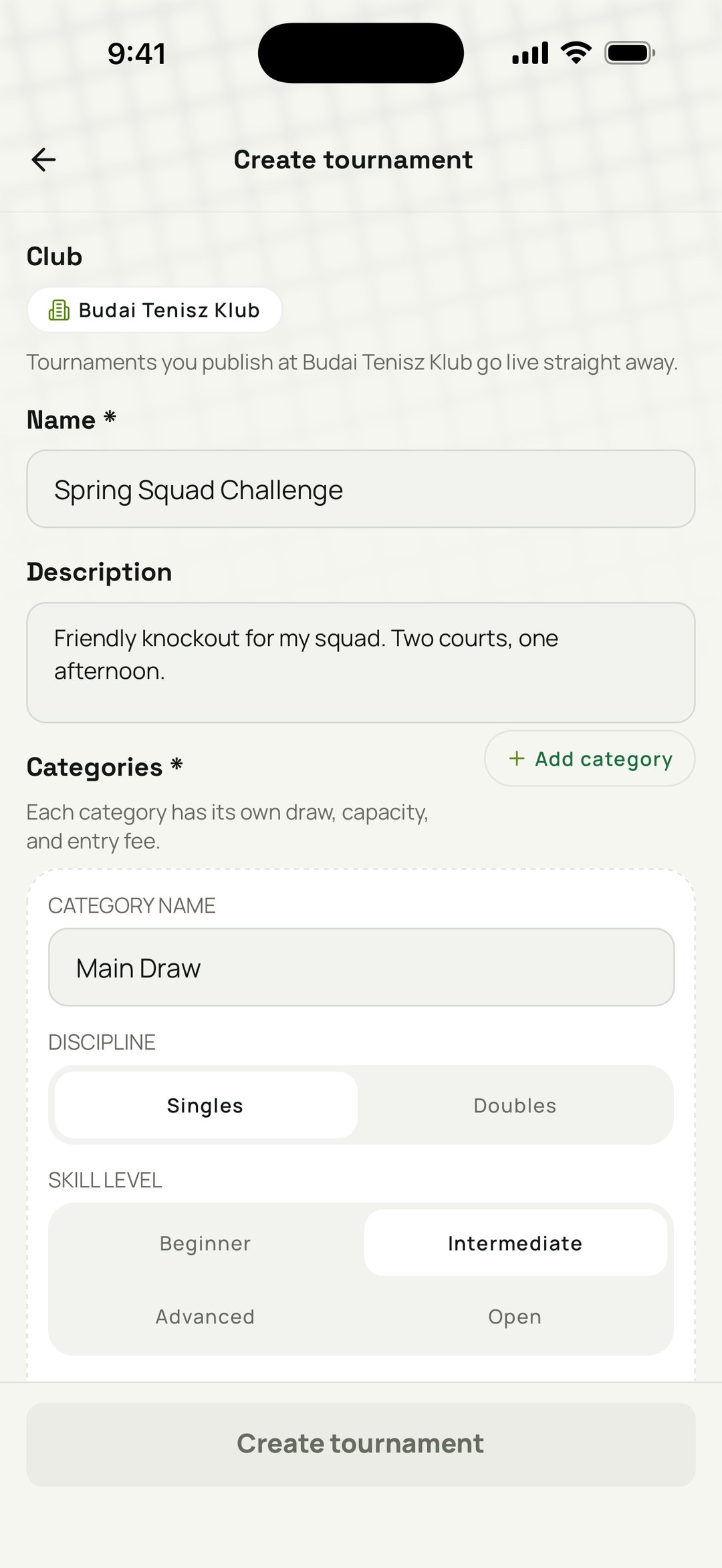
Build a student event in minutes
Name it, set the dates, courts, entry fee, and cap, then choose public or invite-only. It's the same configuration you already fill in for group lessons.
Your draw
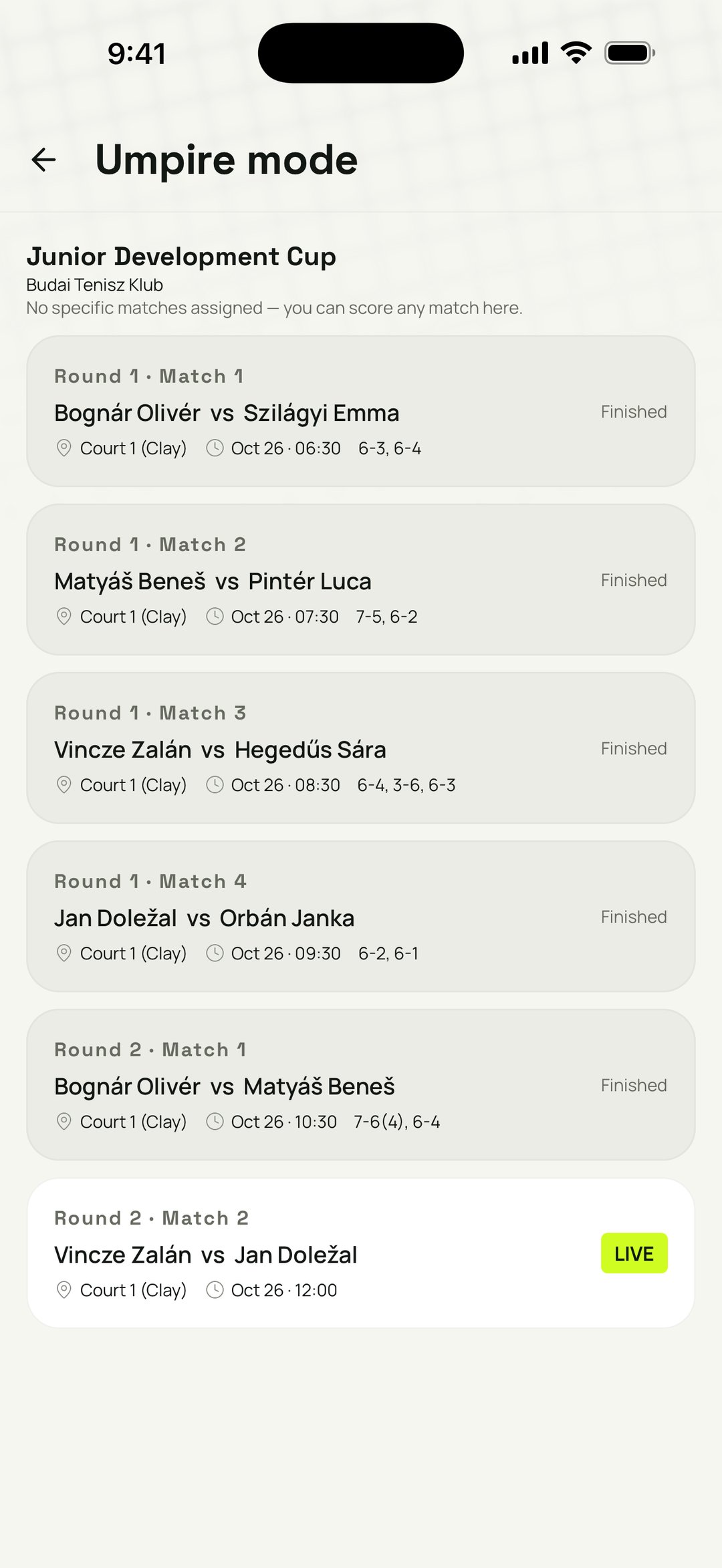
Brackets across five formats
Pick knockout, double-elimination, round-robin, groups, or Swiss. TEKKA builds the draw, seeds it, and pushes it forward as results come in.
Match day
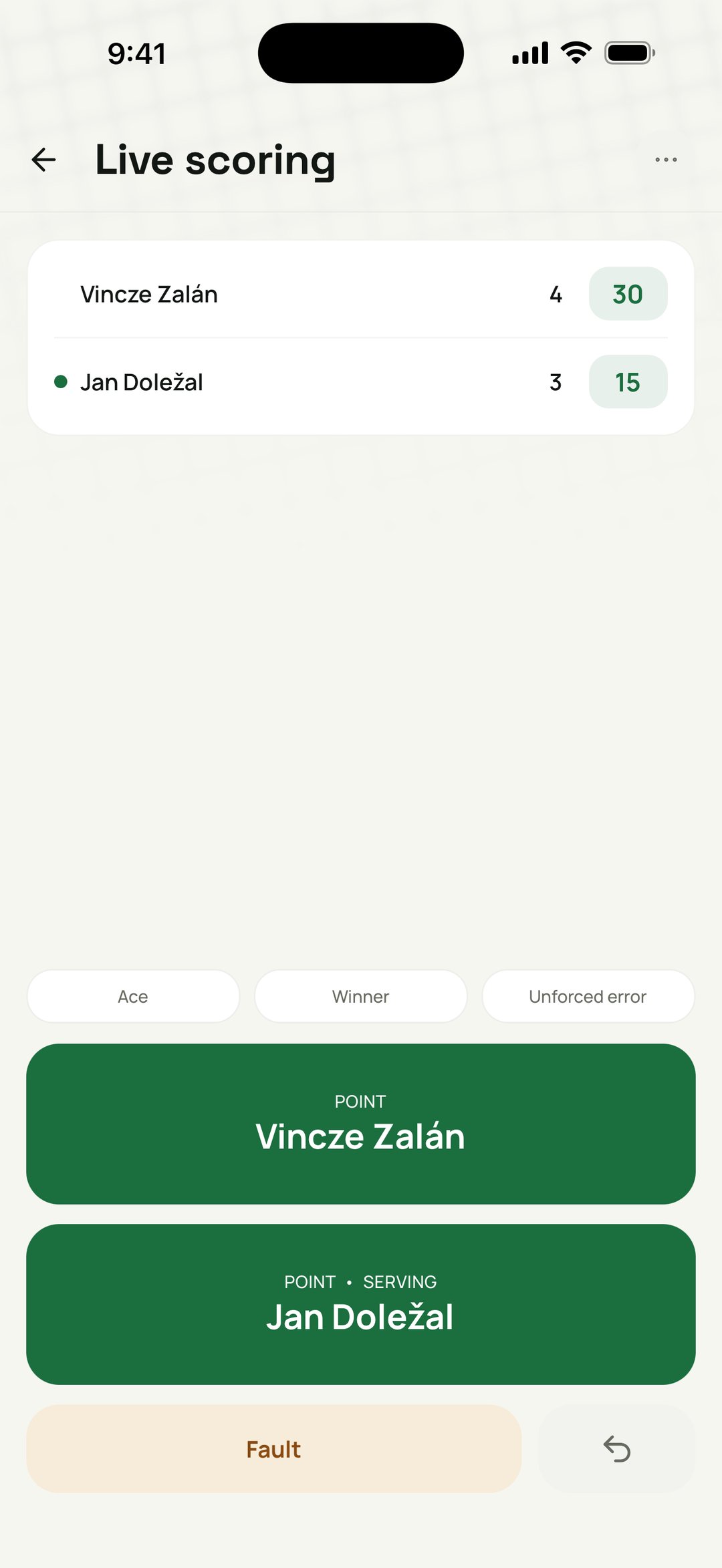
Score live, court-side
Enter results from your phone while the event runs. Standings and the next round redraw themselves, so nobody is rubbing out a bracket with a pencil between matches.
How it works
- 1
Create your event
Format, dates, courts, entry fee, cap, public or invite-only. All of it from your coach account.
- 2
Invite your students
Open registration to your group, or send an invite-only event straight to your students.
- 3
Build the bracket
Generate the draw in the format you picked and hold courts so the matches have somewhere to land.
- 4
Score it live
Enter results court-side. Standings and the next round keep themselves current all day.
What you get
Everything a competitive event for your students needs, from the same place you plan lessons.
Your own events
Create and manage tournaments from your coach account. The list opens on the events you're part of.
Yours to run
Once the club approves you as an organiser, you configure the event and run it, from the bracket to the final result. The club may check the courts and dates, but nobody in the office has to do the work.
Five bracket formats
Knockout, double-elimination, round-robin, groups, or Swiss, each advancing on its own.
Public or invite-only
Open the event to anyone, or keep it to your students.
Court holds
Reserve courts for match times so your event doesn't collide with other bookings.
Live scoring
Score from your phone and keep standings and the next round current.
Built for independent coaches
Your students get a competitive ladder without waiting for the club to organise one. Run the events yourself alongside the weekly lessons, and the results give everyone something concrete to point at.
FAQ
Do I need the club to set up the tournament?
No, but the club does have to approve you as a tournament organiser. After that you create and run your own student events from your coach account. Depending on the access the club gives you, it reviews the courts and dates of every event before registration opens, or only of events more than 90 days ahead. Nobody in the office has to build the event for you. At a venue you added yourself, which no club manages on TEKKA yet, you can organise from the start.
Does the club have to run my event?
No. Once you're approved as an organiser, you configure it and run it yourself from your coach account, and your list opens on the events you're part of. The club's part is signing off on the courts and dates when your access calls for it.
Which formats can I run?
All five: knockout, double-elimination, round-robin, groups, and Swiss. Each one advances the bracket and updates the standings on its own.
Can I keep an event private to my students?
Yes. Set it to invite-only so only your students can enter, or make it public and take wider sign-ups.
How do I score matches?
Enter results from your phone court-side while the event runs. Standings and the next round update themselves.
Can I charge an entry fee?
Yes at claimed clubs. Set the fee and the cap when you create the event, and TEKKA shows the fee to players and keeps the paid list. You take the money yourself.
Related features
Lesson Plans
Tap start and coach. TEKKA records the drills you actually ran, turns them into a plan you can use again, and keeps every good idea a tap away, yours and other coaches'.
Run your coaching business
Bring private requests, scheduled lessons, attendance, packages and outstanding amounts into one coach account.
Run your first student event
Set it up in minutes, invite your students, score it from the court.