
Coach tools
Lesson Plans
Tap start and coach. TEKKA records the drills you actually ran, turns them into a plan you can use again, and keeps every good idea a tap away, yours and other coaches'.
ExampleA group session, ready to run on court
Planning that survives contact with the court
The plan is homework you write after a full day of teaching
Start the session and coach. The drills you run become the plan
Rebuilding who did what from memory in the car park
Ticked off, timed and noted while the session is still running
Building the same warm-up from scratch every single week
Your saved drills, 150+ starter drills with court diagrams, and drills other coaches published
A coaching workflow that fits court time
Built around the ninety seconds you get before a session starts.
Plan
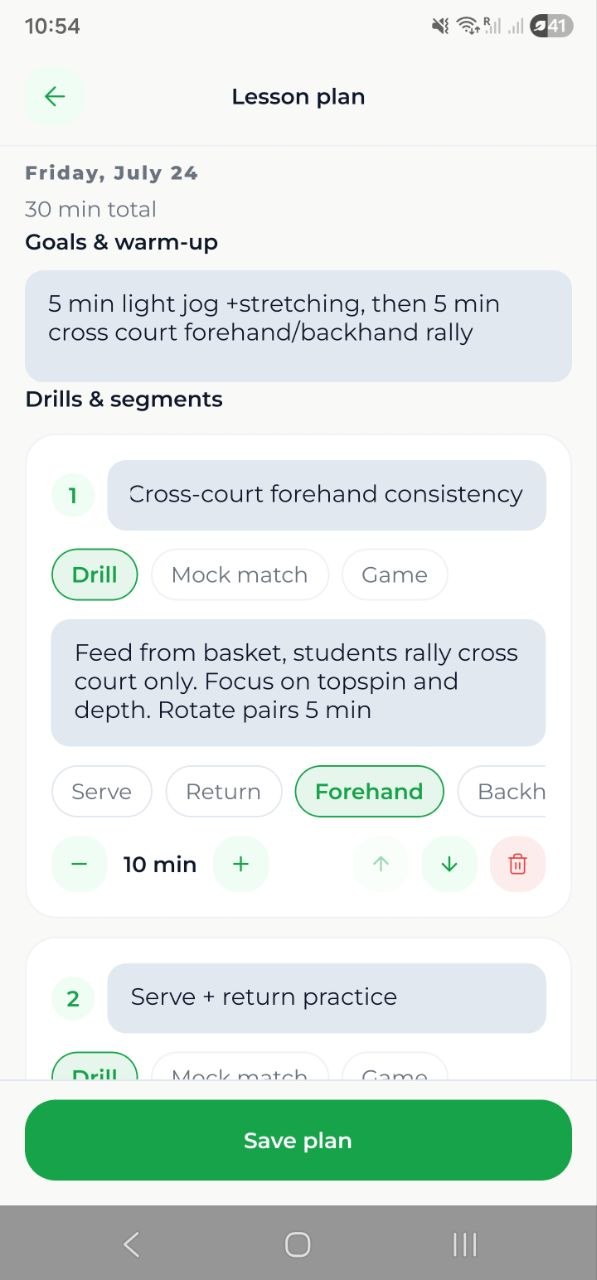
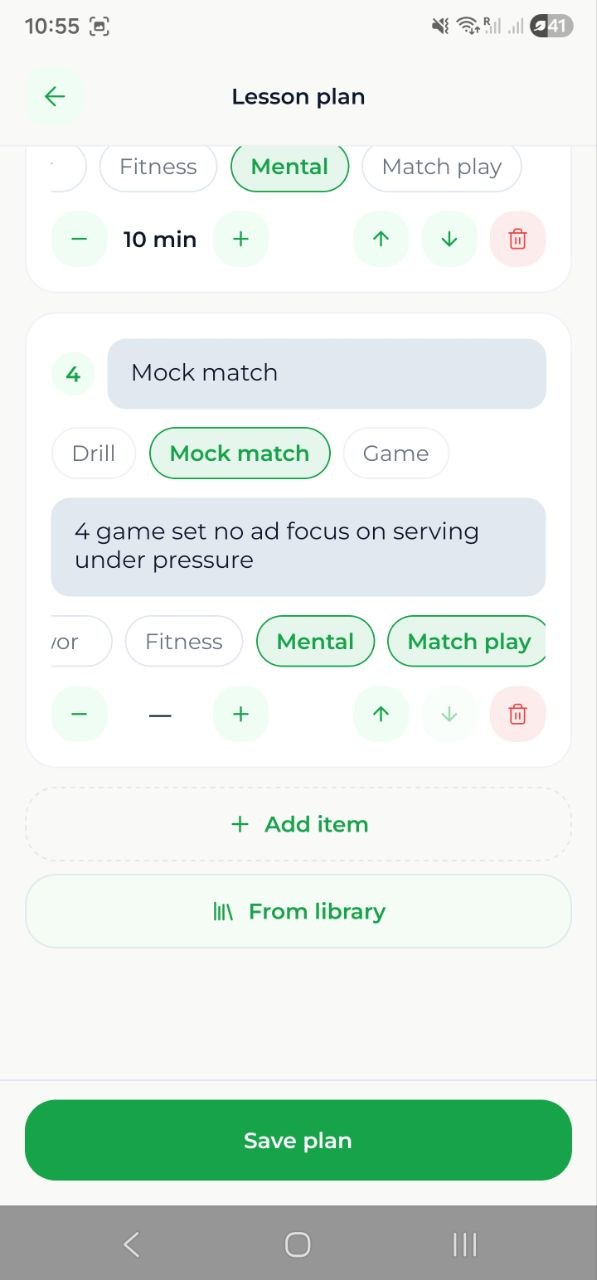
A session is a list of drills
Put the drills in order, give each one a length, tag the skills, and attach a court diagram or a video link. A time budget tracks the plan against the length of your slot, so you see the overrun before your players do.
On court
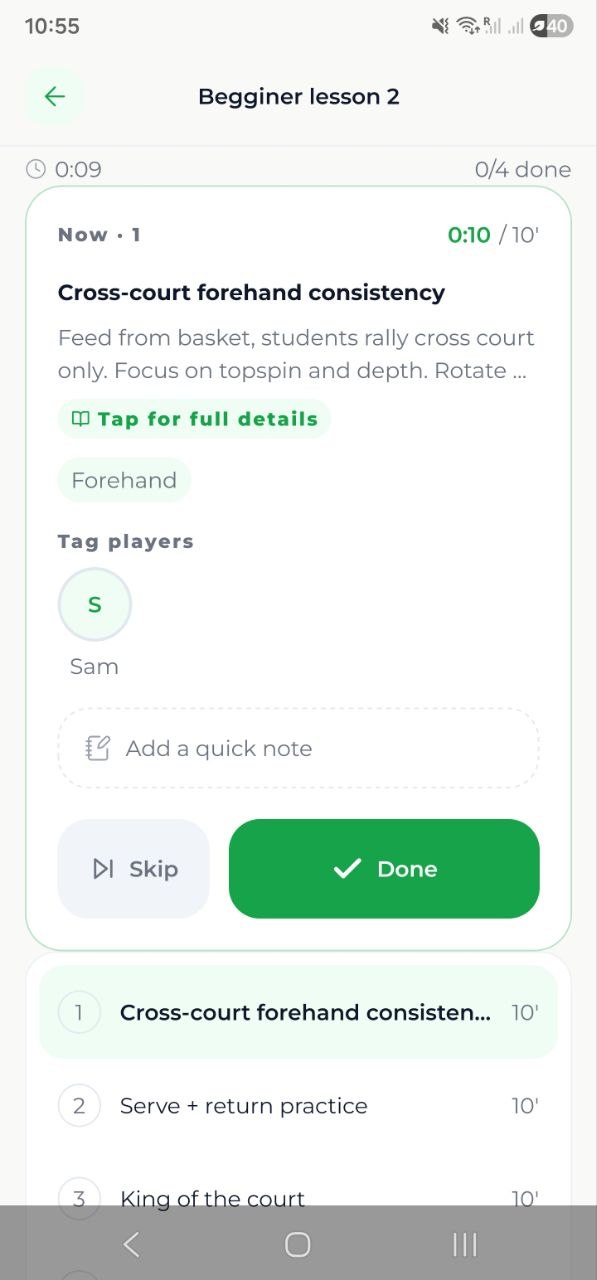
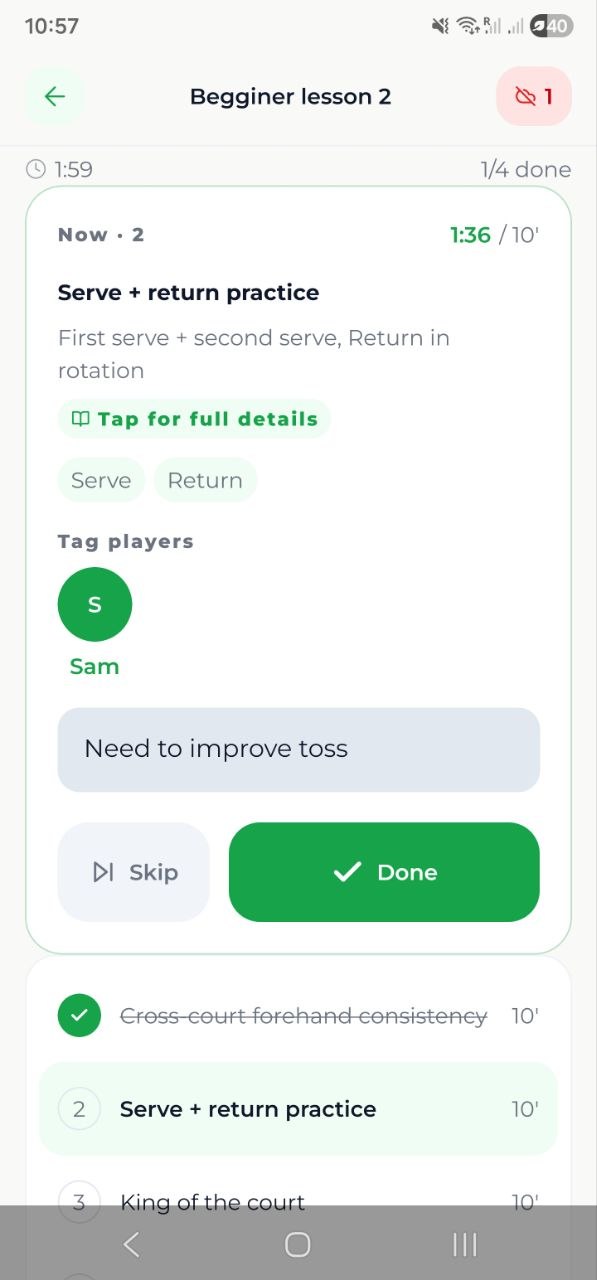
Run it live from your phone
Big Done and Skip targets, a timer per drill that goes red when you run over, quick notes you can stack up while a drill runs, and player tags on the roster. Clubhouse Wi-Fi gone? It keeps working and syncs when you are back in range.
Drill exchange
Borrow from coaches who solved it already
Browse drills other coaches published, filter by level, age, length, group size and kit, read the whole thing before you commit, then add it to your library in one tap.
Three ways into a session
The cheapest one is a real path. Most weeks you will never open the editor.
- One tap
Just start
No plan, five minutes to court. Hit Start session in the mobile app and coach, adding each drill as you run it. You finish the hour with a full record you never sat down to write, and you can save it as a reusable plan.
- Two taps
Run it again
Copy last week, carry over what you did not get through, or apply one of your saved plans. Tuesday beginners rebuilds itself while you walk to court.
- When you want to
Build it out
Sitting down the night before? Put the drills in the order you want, pull them in from your library or the exchange, set durations, and watch the time budget fill up to the length of your slot.
How it works
- 1
Open the session
Pick the date on your group lesson and start it, with a plan you prepared, a copy of last week's, or nothing at all.
- 2
Coach the hour
Tick drills off, run the timers, stack up quick notes, tag the player a note belongs to, and umpire a mock match or a scored game when the plan calls for one.
- 3
Wrap up
Write the session summary, keep the record, and decide whether to save it as a reusable plan and share a read-only copy with your players.
- 4
Reuse next week
Save the drills that worked to your library. Carry the unfinished ones forward, apply a saved plan to a new group, or publish your best work to the exchange.
Drill exchange
The drill exchange, coach to coach
A shelf full of drills is only useful if coaches stock it. So publishing is deliberate, taking is informed, and the credit goes back to the coach who wrote it.
- 1
Publish when it's ready
Nothing leaves your library until you say so. A published drill needs a category and a real explanation, long enough that another coach can run it straight off the page.
- 2
Found by what coaches need
Every drill is filed by type, skill level, age band, length, group size and equipment, then shelved by category. Filter to "volleys, under-12, ten minutes, cones only" and get exactly that.
- 3
Read it before you take it
Open the full drill first: the explanation, the court diagram, duration, kit, who wrote it, and how many libraries it already sits in. Adding it is never a blind copy.
- 4
Adoption comes back to you
When another coach adds your drill, you get told. Every card carries an "in N libraries" count, and your author profile shows what you have published and how widely it is used.
From the exchange
Volley ladder
Published by Coach Novak
12 min · Intermediate · 4-8 players · Cones
What another coach sees before adding your drill
Coaches only
The Drill exchange is a coach surface. Players never browse it, and your private drills and session notes stay out of it.
Improvements travel
A drill you added keeps a link back to the original. When its author improves it, you are offered the update. Take it, or keep your own edited version.
Moderated by humans
Any coach can report a published drill. Reports go to a moderation queue, and a removed drill stays in the libraries of coaches who already took it.
What coaches get
A coaching workflow that matches real court time.
Start with no plan at all
Live mode never waits for paperwork. Start the session, add drills as you run them, and save the result as a plan afterwards if it was a good one.
Live on-court tracking, offline
Done and skipped, per-drill timers that flag overtime, stacked quick notes and player tags. All of it works with no signal and syncs when you are back.
Saved plans you can reuse
Save a whole session by name and apply it to any date or any group. The reusable unit is the session itself, drills and durations included.
A drill library that grows with every session
Save any drill to your personal library, file it into folders you choose, and find it again by type, level, age, length, group size and kit. You start with 150+ drills with court diagrams.
Visual drills
Add a court diagram, a photo, or a link to a video. Diagrams render on court with no signal, and they travel with the drill when another coach adds it.
Mock matches and scored games
Mark a drill as a match or a scored game and umpire it from live mode with a proper scoring pad. The result is written back onto the session.
Plans your players can follow
Share a session as a read-only plan for the enrolled players, with optional one-to-five ratings on each drill that only you can see.
Fits the slot and the group
The time budget compares your plan with the lesson's scheduled length, and every drill carries its group size, so you see a four-player drill before you take it to twelve.
Built for coaches
Drop-in clinics, a weekly junior programme, an academy squad: Lesson Plans keeps teaching organized before, during and after court time, and the record gets written without you writing it.
FAQ
Do I have to write a plan before I can coach?
No. Start session in the mobile app opens live mode with an empty session, and you add each drill as you run it. The plan is a byproduct of coaching, and you can save it as reusable afterwards.
What happens if there is no signal on court?
Live mode keeps working. Check-offs, notes, timers and drills added mid-session queue up on your phone and sync as soon as you have a connection, so nothing is lost and nothing needs retyping.
Can I reuse an entire session?
Yes. Save any session as a named saved plan and apply it to any date or any group. You can also copy last week's session for the same group, or carry over only the drills you did not get through.
How do I build up my drill library?
Three ways, all quick. Write drills straight into your library and file them into folders, add any of the 150+ starter drills or another coach's drill from the Drill exchange in one tap, and save a finished session as a plan to reuse. Everything stays private until you choose to publish it.
What is the Drill exchange?
A coach-to-coach library. Coaches publish drills, browse and filter each other's, vote, and add the good ones to their own library. Players never see it.
What do I get out of publishing a drill?
You are notified when another coach adds your drill, every card shows how many libraries it is in, and your author profile lists what you have published and how widely it is used.
If I improve a drill I published, do other coaches get the update?
They are offered it. An added drill keeps a link to the original, so when you edit yours, the coaches who took it can pull in your update or keep the version they have adapted.
Can drills have diagrams or videos?
Drills carry court diagrams, images and links to video. Diagrams are drawn in the app, weigh almost nothing, and render on court with no signal.
Can my players see the plan?
Only if you share it. A shared plan is read-only for the enrolled players and stays live as you edit it. Your outcome notes, player tags and session summary are never included.
Do I need the mobile app?
For live mode, yes, that is the on-court surface. Planning, the drill library, saved plans and the Drill exchange all work on the web too.
Related features
Student tournaments
Set up a student event, open registration, and score the matches live from your phone while you are standing on the court.
Run your coaching business
Bring private requests, scheduled lessons, attendance, packages and outstanding amounts into one coach account.
Plan better sessions
Run your next session from your phone, keep the record without writing it, and trade drills with other coaches on TEKKA.